What Is a WebRTC Leak? A Clear Guide
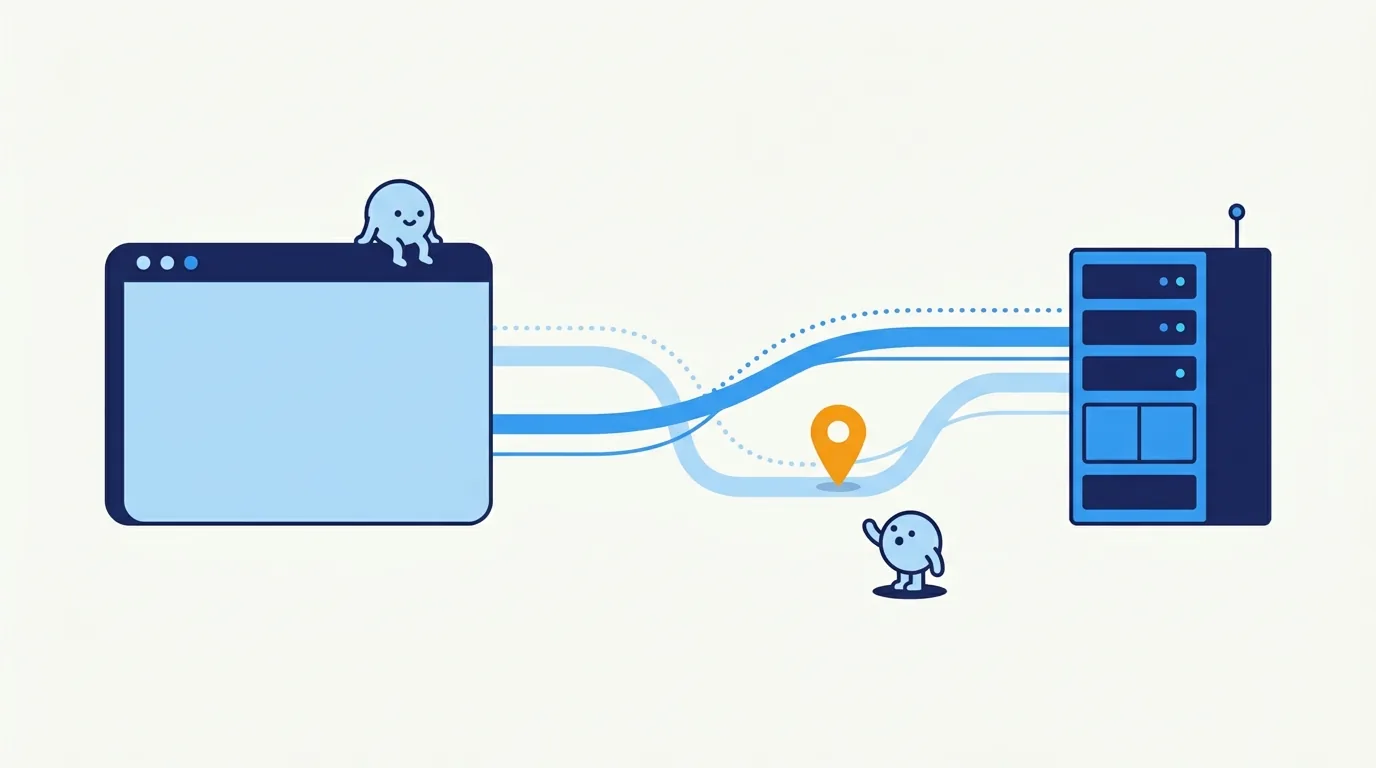
A WebRTC leak happens when a browser shows a network address through its real-time communication features, and that address does not match the route you meant to use. The usual case is your internet service provider (ISP) address showing up while a virtual private network (VPN) or proxy is supposed to hide it. A private address or a masked .local name is a different, usually less serious result.
WebRTC is not a bug you should always switch off. Browser calls depend on it to find a working path, and browsers have added privacy protections since it arrived. What matters is whether the address shown belongs to the connection you expected.
What is a WebRTC leak?
What does a WebRTC leak mean?
WebRTC stands for Web Real-Time Communication. It lets a browser handle audio, video, screen sharing, and peer-to-peer data. Before a connection starts, it collects possible network routes called ICE candidates. Think of them as a clipboard of doors the browser could try, not a roll call of your devices. ICE (Interactive Connectivity Establishment) tests those doors and picks one that works.
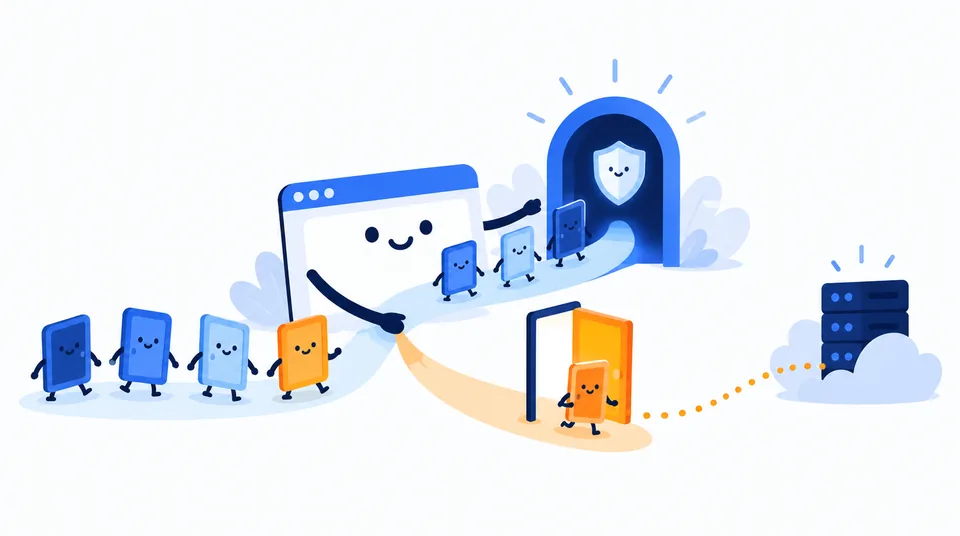
Some candidates come from the device’s own interfaces. STUN (Session Traversal Utilities for NAT) can show the public address a server sees. TURN (Traversal Using Relays around NAT) relays traffic when a direct path fails. NAT (Network Address Translation) is a bit like an office sharing one reception desk: devices with private addresses share a public connection. None of this is proof of snooping, just normal plumbing. RFC 8445 describes ICE, and RFC 8828 explains its privacy trade-offs.
A leak is a mismatch. Say page traffic uses your VPN exit address, but WebRTC reveals the public address your internet service provider (ISP) assigned you. Then the browser has opened a second route. A proxy can cause the same problem if it handles web pages but skips WebRTC. A full-device VPN may route both correctly, but settings, split tunneling, IPv6, the browser, and the network all matter.
What can WebRTC reveal?
WebRTC can reveal candidate addresses, not a dossier about you. A public IPv4 or IPv6 address (the two IP address families) can identify a network or VPN exit and support an approximate location lookup. It does not normally give a stranger your exact home address. A private IPv4 address can describe part of your local network, but the public internet cannot reach it directly. RFC 1918 reserves private IPv4 ranges for local networks.
Browsers may hide local addresses behind a multicast DNS (mDNS) name ending in .local. That masks the numeric local address. It does not hide a public server-reflexive candidate, which is the address STUN observed. Gathering candidates alone does not reveal your browsing history, files, or passwords.
| Test result | What it usually means | What to do |
|---|---|---|
| VPN address only | WebRTC appears to follow the expected public route. | Keep the setup and retest after network or VPN changes. |
| Your baseline ISP public IP | A WebRTC path may be bypassing the VPN or proxy. | Check split tunneling, IPv6, and WebRTC routing controls. |
Private IP or .local name | Local candidate information; a hostname is often mDNS masking. | Do not mistake it for your ISP public IP. Review it only if local-network privacy matters to you. |
| TURN relay address | A relay is carrying or offering to carry the peer connection. | Identify the relay provider before treating it as your address. |
| No candidates | WebRTC may be restricted, unsupported, or unable to reach its test server. | Confirm the test completed; an empty result alone proves little. |
Older advice often labels any displayed address a leak, which is like calling every visitor a burglar because they rang the doorbell. Public IP geolocation is approximate. The address may belong to a VPN, a company gateway, or a carrier rather than your home router. See public versus private IP addresses and what someone can infer from an IP address.
Test your browser route
Start with a baseline to find your ISP address. Disconnect the VPN or proxy and check your public IP on Loqmi. Note both IPv4 and IPv6 if they appear, then reconnect the VPN or proxy as usual.
- Open Loqmi’s WebRTC leak test in the same browser profile. Let candidate gathering finish instead of refreshing halfway through.
- Compare any public WebRTC address with the baseline and with the public address shown by the regular IP check. If you do not know who operates an unfamiliar address, use IP lookup to see its network and approximate location. Geolocation is a clue, not proof of where someone physically is.
- Repeat once after changing one setting. Keep the browser, network, and VPN server the same, or the comparison means nothing.
If the VPN’s public address shows up in both checks, that matches the expected route. It does not certify every app or protocol, though. If your original ISP address appears only in the WebRTC result, investigate. A “connected” icon is a status light, not a tiny engineer checking every browser path. See our guide to checking whether a VPN is working.
Quick check: Run the WebRTC test once with the VPN off and once with it on. The off result shows your baseline. The on result should not unexpectedly show that same ISP-facing public address if all relevant traffic is meant to use the VPN.
Why results differ between browsers and networks
Chrome, Edge, Firefox, Safari, and mobile browsers may mask local addresses or offer different controls. Turning off WebRTC can stop calls and screen sharing, and it leaves the browser in a setup most people never use.
Your network matters too. Split tunneling may send selected traffic outside a VPN on purpose. Think of it as a side door. A browser proxy may cover HTTP and HTTPS but not UDP (User Datagram Protocol), which real-time connections often use. IPv6 can follow a different route from IPv4. Carrier-grade NAT (CGNAT) lets many customers share one public IPv4 address, so it identifies a network exit rather than one household.
A DNS leak concerns which resolver receives name lookups. WebRTC exposure concerns candidate addresses. Fixing one does not fix the other. Read ways to hide your IP address, and remember that one green test is a snapshot, not a force field.
Fix an unexpected address without breaking calls
Start with the VPN app. Check leak protection, IPv6 support, and split-tunnel exclusions. A kill switch helps when a tunnel drops, but it does not necessarily stop WebRTC from using another route while the tunnel is healthy. Change one option at a time and retest.
If the address still bypasses the route, check the current browser controls or an extension that restricts WebRTC traffic that is not sent through the proxy. Controls vary by version, so review permissions and retest. A relay-only or proxy-aware policy may keep calls working, though performance can suffer or connections can fail.
Turn WebRTC off only in a profile where you never need calls, screen sharing, or peer-to-peer features. Do not disable IPv6 system-wide just because it sounds technical. That can disrupt connectivity without fixing a separate IPv4 route. Choose the route you want, then repeat both checks.
Do not panic over a private address. The main concern is an unexpected public address linked to your baseline ISP connection. A private LAN address or a randomized .local candidate is not the same thing, and an unfamiliar relay address may belong to the service carrying the call.
Key takeaways
- A WebRTC leak means an unexpected network address is exposed through browser connection setup.
- Compare public candidates with your baseline; private addresses and mDNS names are different signals.
- Test the same browser and network with your VPN off and on, including IPv4 and IPv6 where available.
- Prefer routing or restricting WebRTC over disabling it if you rely on browser calls.
Frequently asked questions
Can a website get my exact home address from a WebRTC leak?
No. A WebRTC leak may expose a public IP address or local network details, but an IP address does not normally identify a precise street address. An IP lookup usually gives an approximate network location and provider. Treat an unexpected public IP as a privacy issue, but do not assume it reveals your front door.
Does private or incognito browsing prevent a WebRTC leak?
No. Private browsing mainly separates or clears local browsing data such as history and cookies. It does not change how the browser gathers WebRTC connection candidates, so test the same browser and network configuration you normally use. A private window is not a separate network route.
Will blocking WebRTC break anything?
It can. Browser-based voice and video calls, screen sharing, and some peer-to-peer data features rely on WebRTC. If you need those features, prefer a VPN or browser policy that routes or restricts WebRTC traffic, then retest, rather than turning the entire API off.
Should I worry if the WebRTC test shows no address?
Not by itself. The browser may have restricted candidate gathering, WebRTC may be disabled, or a firewall or network may block the test connection. An empty result cannot prove all browser traffic uses your intended route; compare with a public IP check and rerun after confirming the test can complete.
Sources
Related articles
Whitelist IP Address Safely: A Setup Guide
An IP allowlist can narrow who reaches a service, but only when you enter the right public address and keep the rule current. Learn how to set one up safely.
Proxy vs VPN: Which One Should You Use?
A proxy routes selected app traffic; a VPN usually protects more of your device connection. Compare what each hides, who can see your traffic, and how to check your route.

How to Check If VPN Is Working: A Clear Test
Compare your public IP before and after connecting, then check DNS, IPv6, WebRTC, and the kill switch. Practical steps cover Windows, Mac, Linux, Android, and iPhone.